HEIC to JPEG
A local-only browser tool for converting HEIC images into more compatible formats with batch support.
Type: tool | Status: archived | Tech: Next.js, JavaScript, Tailwind CSS, PWA, IndexedDB
AI involvement: moderate (ChatGPT) — Built as an AI-assisted weekend project, using LLM support for implementation, iteration, and browser-side file workflow design.
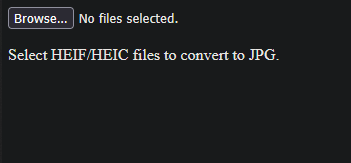
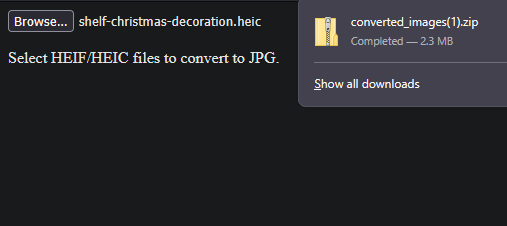
heic-to-jpeg
A local-only browser tool for converting HEIC images into more compatible formats with batch support.
Status: archived | Type: tool | Visibility: public
Tech: Next.js · JavaScript · Tailwind CSS · PWA · IndexedDB
AI involvement: moderate (ChatGPT) — Built as an AI-assisted weekend project, using LLM support for implementation, iteration, and browser-side file workflow design.
Why I built this: Built to make Apple HEIC images easier to use in common workflows without relying on cloud uploads or desktop-only conversion tools.
Overview
HEIC to JPEG is a local-only browser-based image conversion tool built as a responsive PWA. It converts Apple HEIC images into more widely compatible formats directly in the browser, making it useful for people who need a quick, portable conversion workflow without uploading personal images to a remote server.
The project emphasizes privacy, convenience, and batch usability. It supports multiple-image conversion and ZIP export so converted images can be downloaded together, while keeping the entire workflow client-side in a lightweight Next.js application.
Features
- Converts HEIC images into more compatible browser-friendly formats
- Runs entirely client-side without uploading files to a server
- Supports multiple-image conversion workflows
- ZIP export for batch download
- Responsive PWA interface for desktop and mobile use
- Local-first design focused on privacy and convenience
Installation
# clone the repository
git clone https://github.com/yourusername/heic-to-jpeg.git

# enter the project directory
cd heic-to-jpeg

# install dependencies
npm install

# start the development server
npm run dev